The browser and runtime are part of the workstream, not side tools.
Polystro includes an integrated browser, service orchestration, routed local previews, and the local viewer because local development work is not only code generation. The surrounding runtime needs to stay coherent too.
Integrated Browser
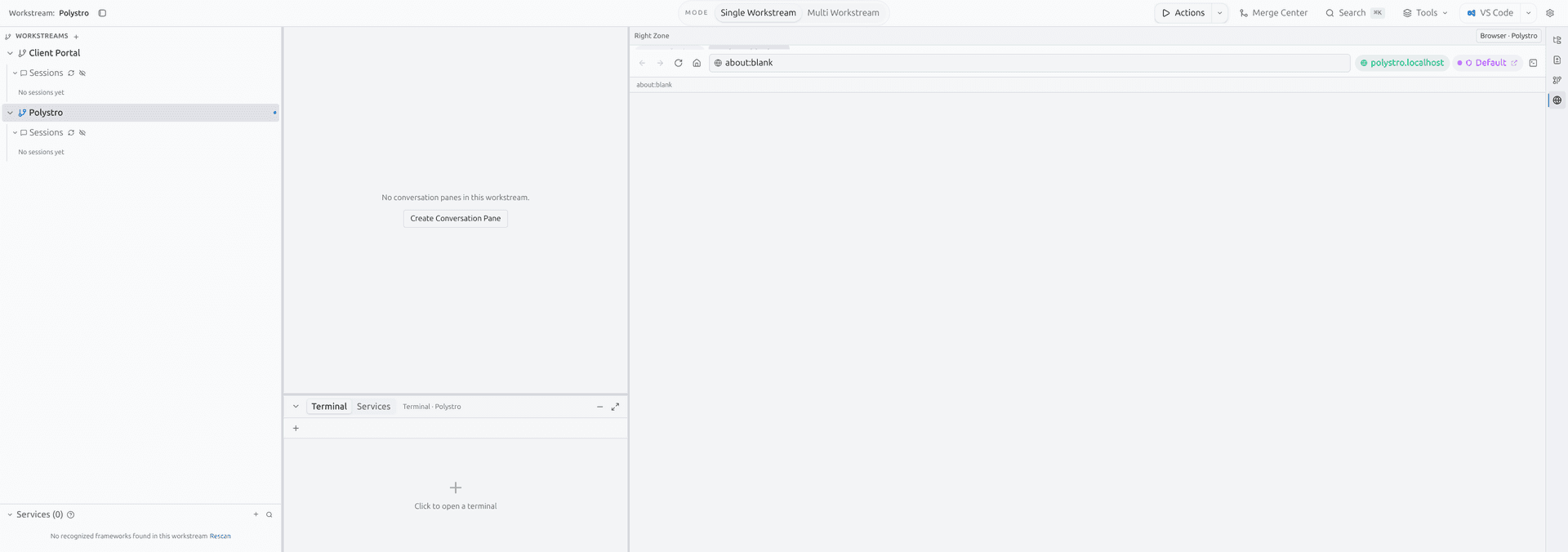
The browser surface is part of the desktop shell, with navigation, per-workstream identities, and tabs that stay attached to the selected workstream. This makes browser testing and account switching part of the same operating context as the session that produced the change.
Stable Preview Routes
Polystro routes local previews through a gateway layer so the workstream can keep a stable hostname even when a service needs a different underlying port. That is what makes the preview feel like part of the workstream rather than a constantly changing localhost scratchpad.
What this buys you
Service Runtime
The service layer is aware of the workstream repo, target path, and dependency ordering. Databases, backends, and frontends can be started in the right order, with environment values rewritten toward routed gateway URLs where needed.
Repo-aware launch
Services start in the correct workstream path instead of a detached terminal context.
Runtime target aware
Different runtime targets can maintain distinct preview and service routing behavior inside the same broad workstream model.
Gateway-friendly envs
Service environment values can be rewritten to workstream-stable gateway URLs.
Logs in-shell
Service status and logs live in the desktop shell alongside the session and browser surfaces.
Local Viewer
The local viewer is a browser-accessible surface for continuing a session away from the full desktop shell. It can run over loopback on the local machine or over a LAN URL when available, with pairing by QR code or a Mobile/Web link and PIN, with reconnect via trusted devices.
This is best understood as continuation, not as a replacement for the main desktop app. The desktop host remains the authoritative runtime.
Network Safety
Polystro is opinionated about URL handling. External navigations from the main app are restricted, the local viewer uses authenticated access patterns, and routed traffic is constrained to local-origin style behavior instead of acting like a general-purpose browser proxy.